This documents the v1 product. It is kept for integrations already running
on it. If you are building something new, start with the
Quickstart.
Overview
With the Shopify integration, a voice agent can handle customer support, order tracking, inventory questions and sales assistance for your store. Customers talk to the voice agent to check order status, find products, apply discounts and get support right away.Order Management
Voice agents can check order status, process returns, and handle shipping
inquiries automatically.
Product Assistance
Help customers find products, check inventory, and provide detailed product
information through voice.
Customer Support
Handle common support requests like account issues, discount codes, and
general store policies.
Sales Automation
Upsell, cross-sell, and guide customers through the purchase process with
product recommendations.
Required Permissions
Your voice agent needs these Shopify API permissions:Essential Scopes
read_customers: access customer information for personalized supportread_products: provide product details and inventory statusread_orders: check order status and historywrite_orders: process order changes and cancellationsread_discounts: apply available discount codeswrite_discounts: create promotional codes for customers
Optional Scopes (based on your use case)
read_inventory: check inventory in real timeread_shipping: calculate shipping rateswrite_customers: update customer informationread_returns: handle return requests
Setup Guide
Part 1: Create Shopify Private App
- Access Shopify Admin Log in to your Shopify admin dashboard.
-
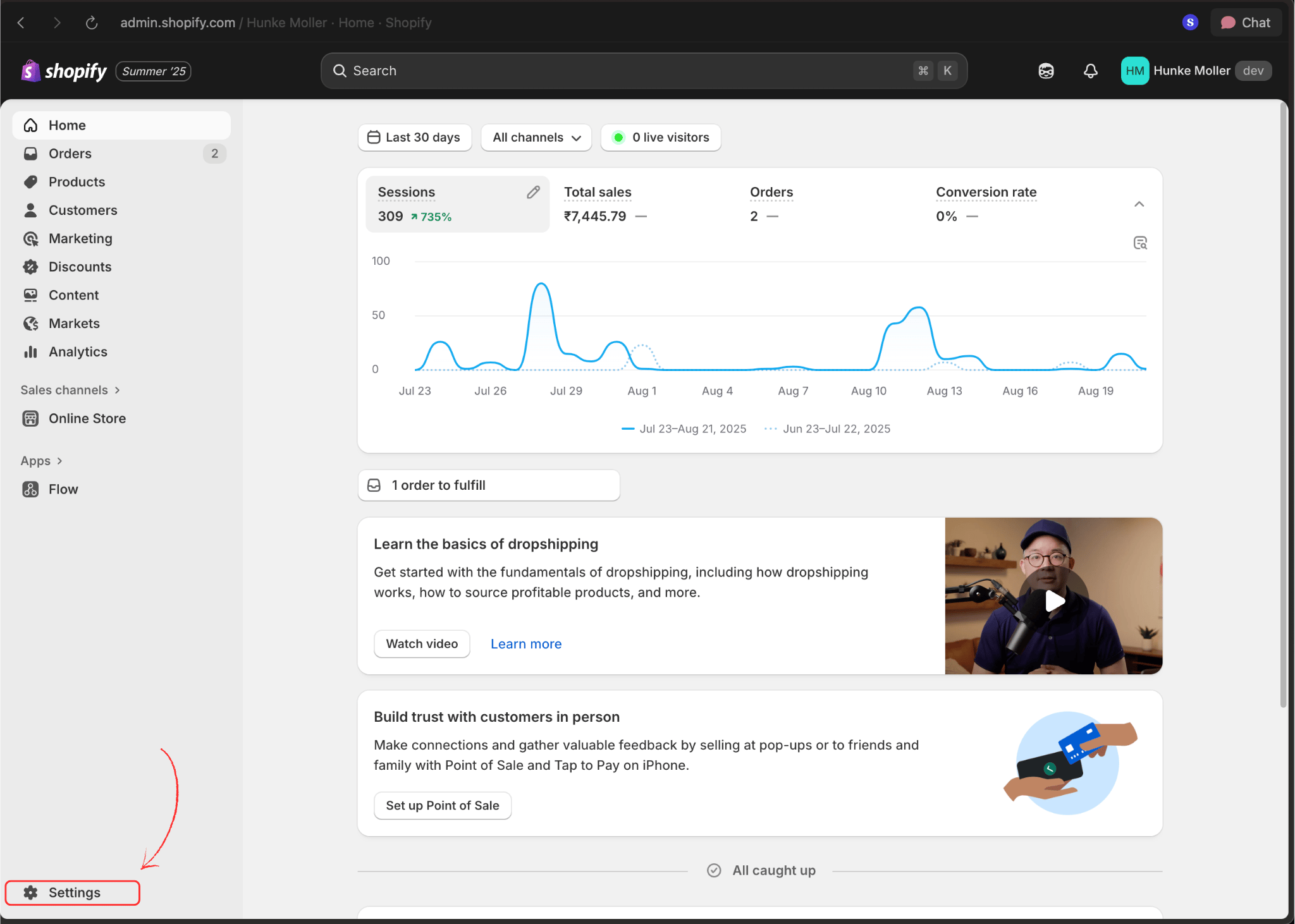
Navigate to Settings
Click the Settings option in the bottom-left corner of your admin panel.
-
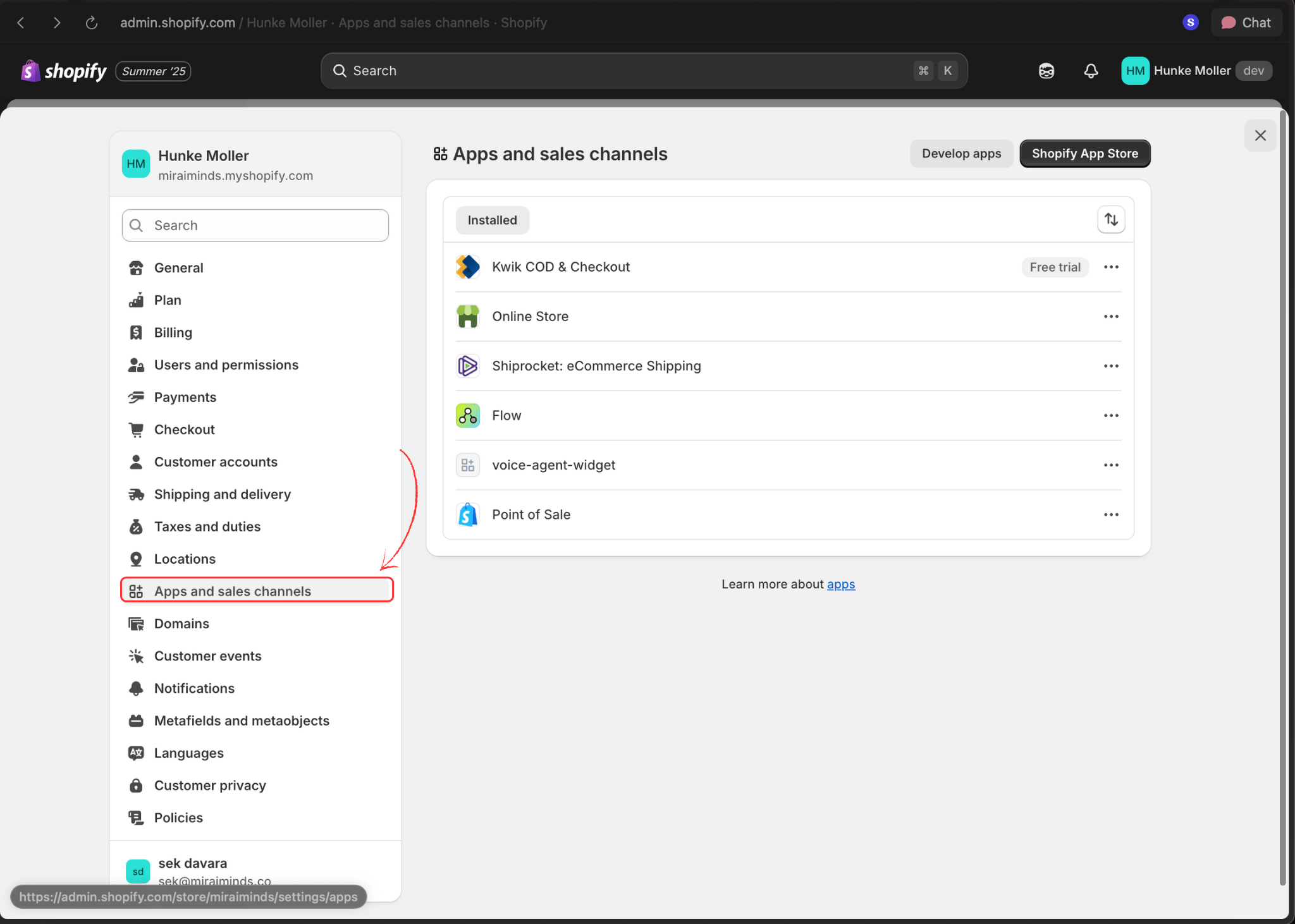
Open Apps and Sales Channels
Select Apps and sales channels from the settings menu.
-
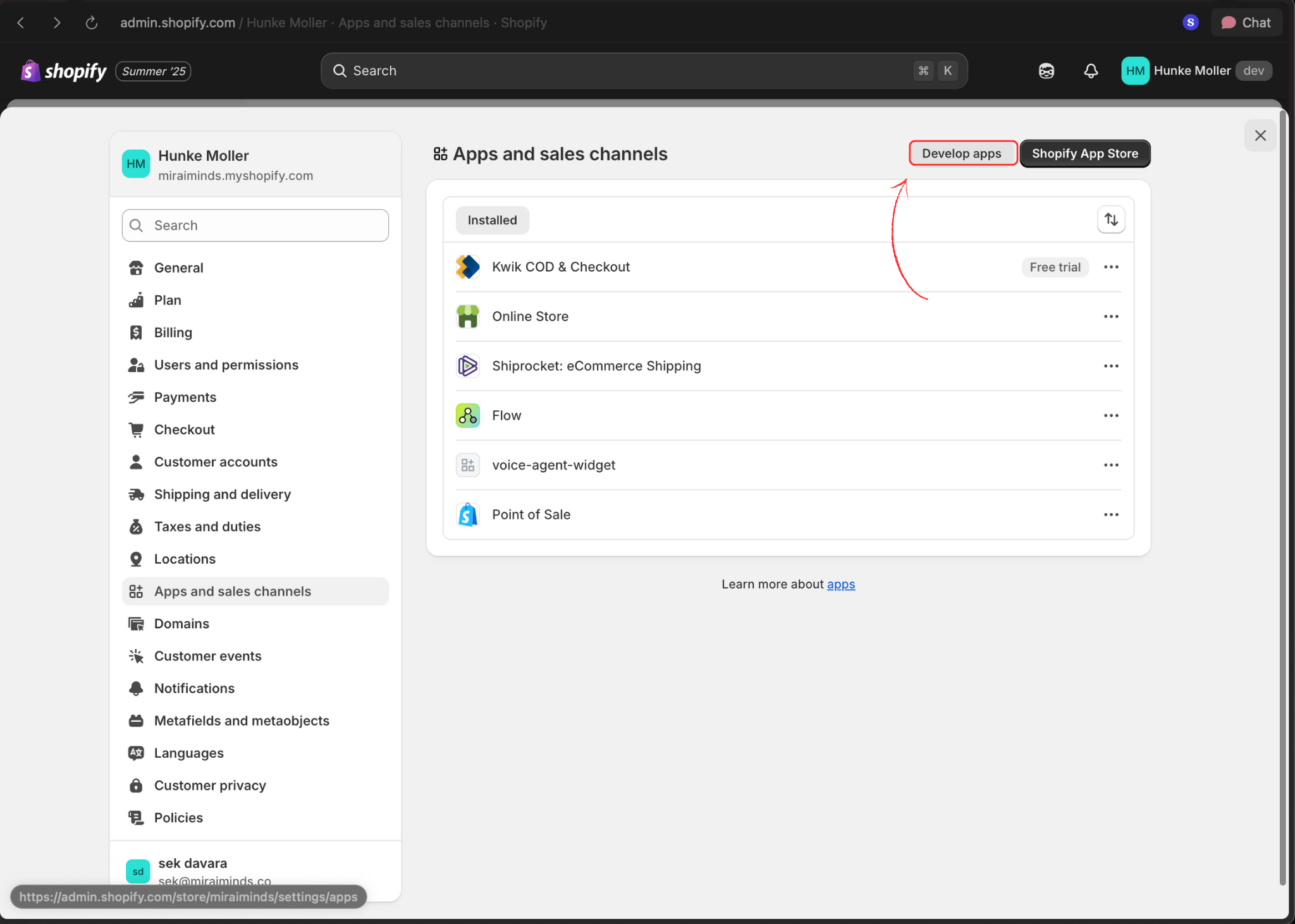
Access App Development
Click Develop apps in the top navigation bar.
-
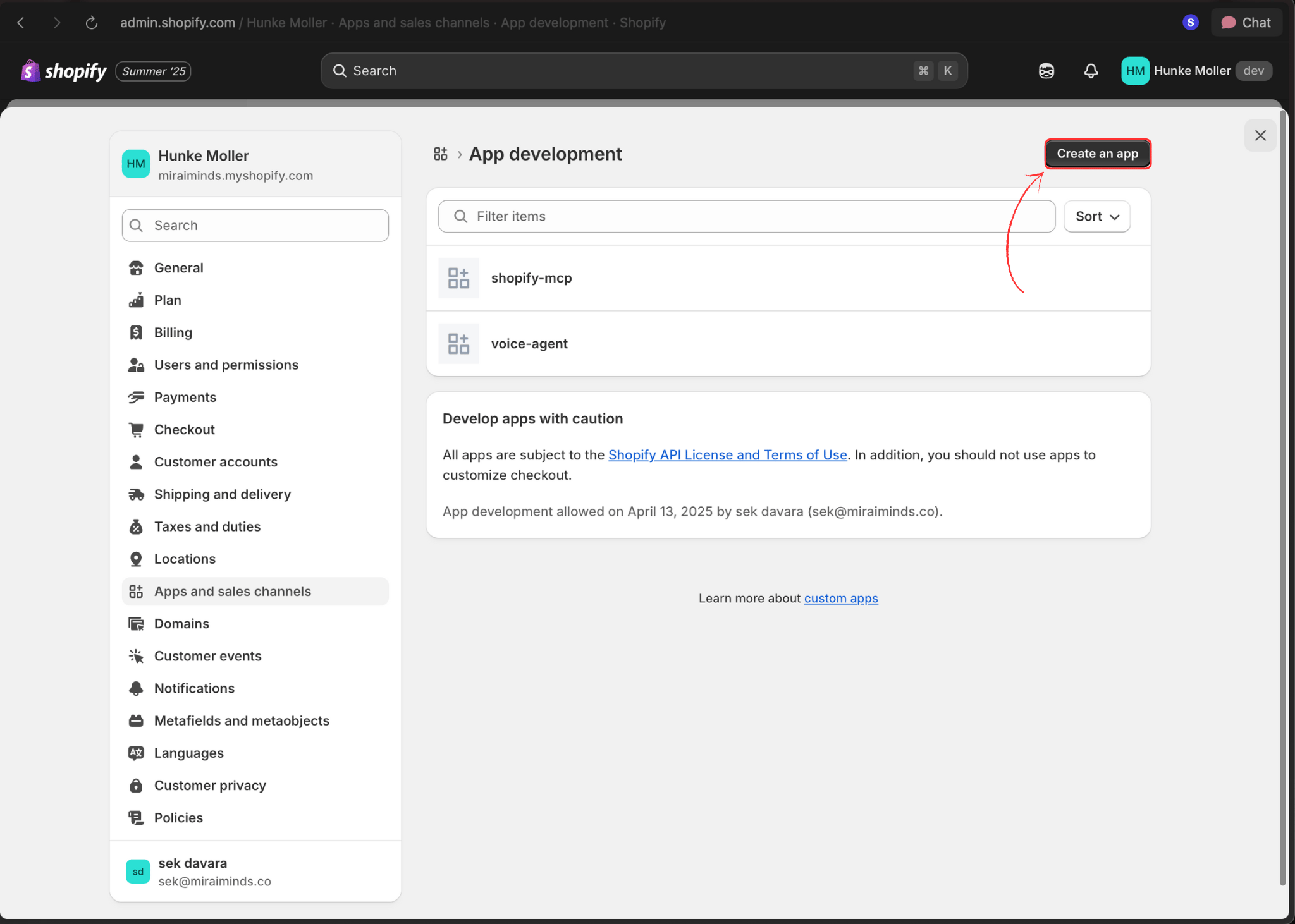
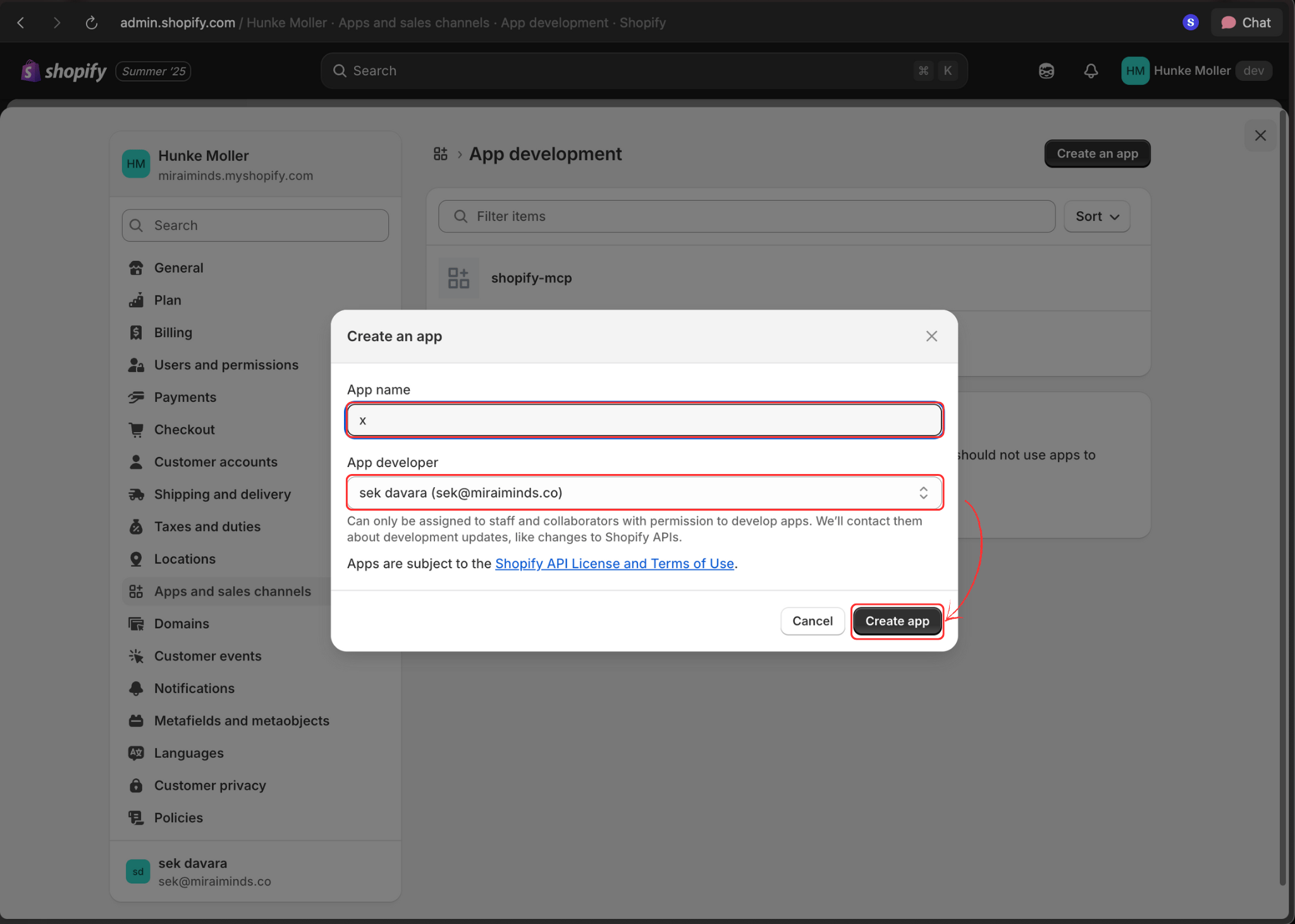
Create New App
Click the Create an app button to start the setup process.
-
Configure App Details
Enter your app name and select the app developer, then click Create app.
-
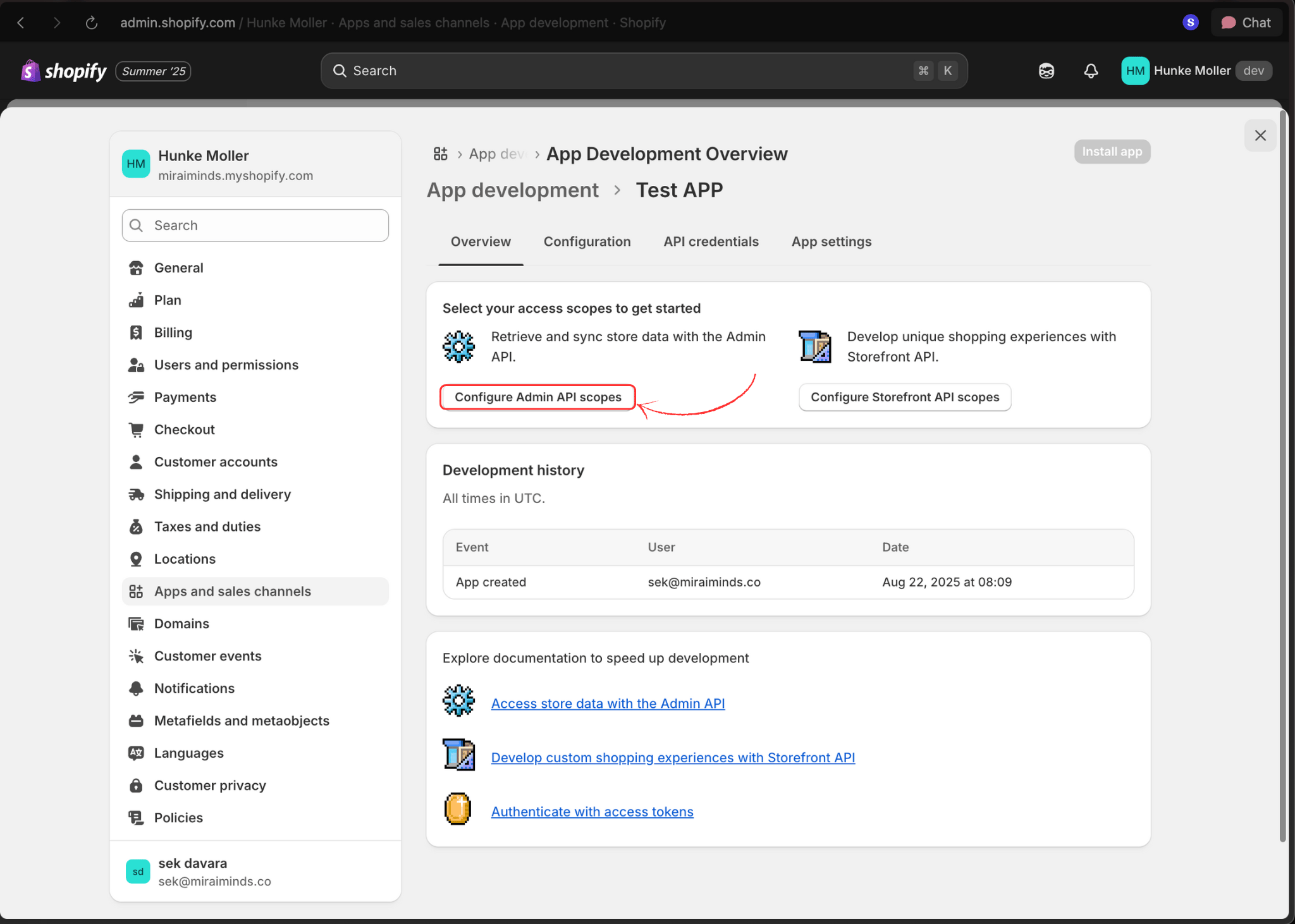
Set API Permissions
Click Configure Admin API scopes to set up the required permissions.
-
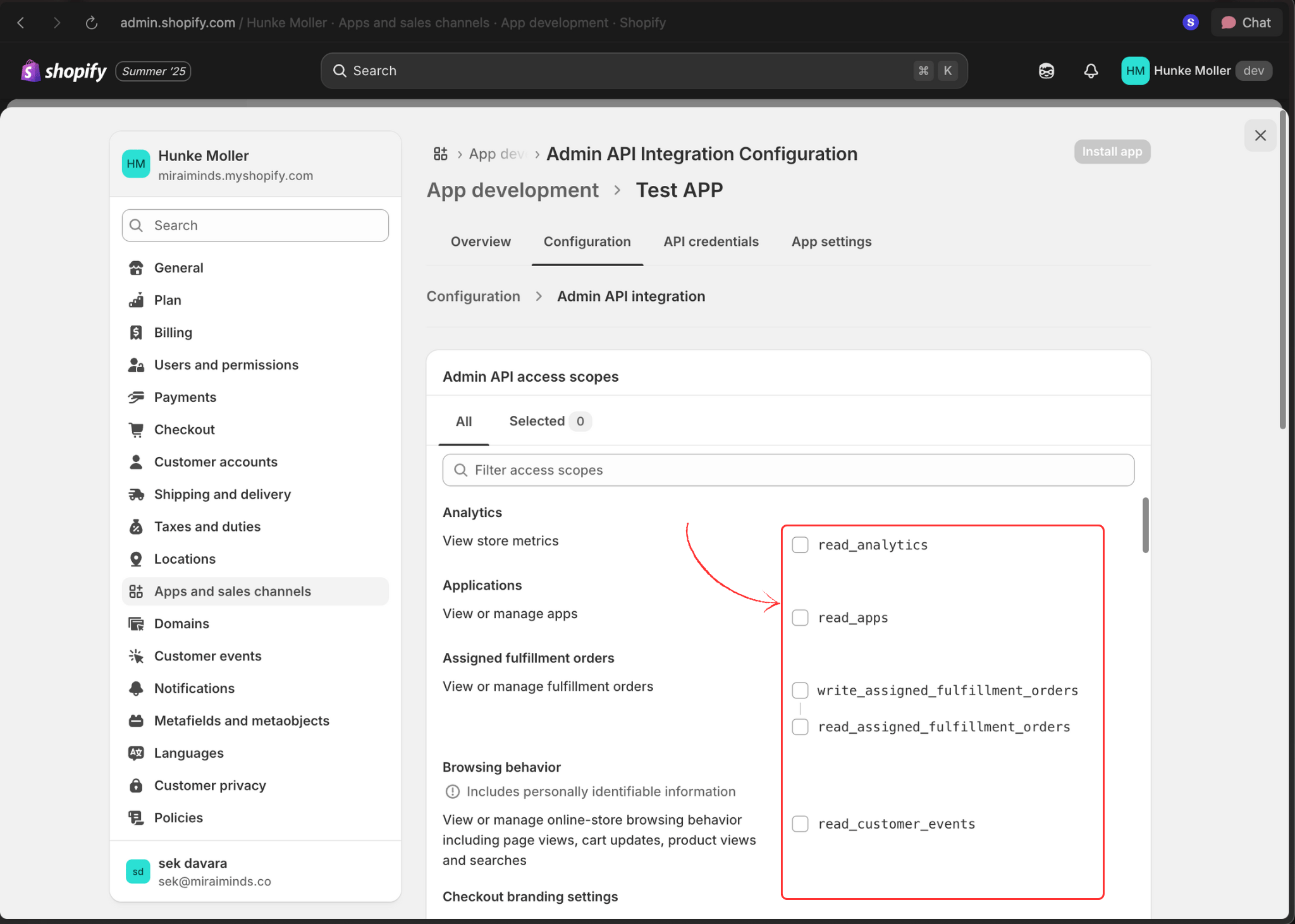
Select Required Scopes
Enable the necessary permissions listed above. At minimum, select:
read_customersread_productsread_orderswrite_ordersread_discountswrite_discounts
-
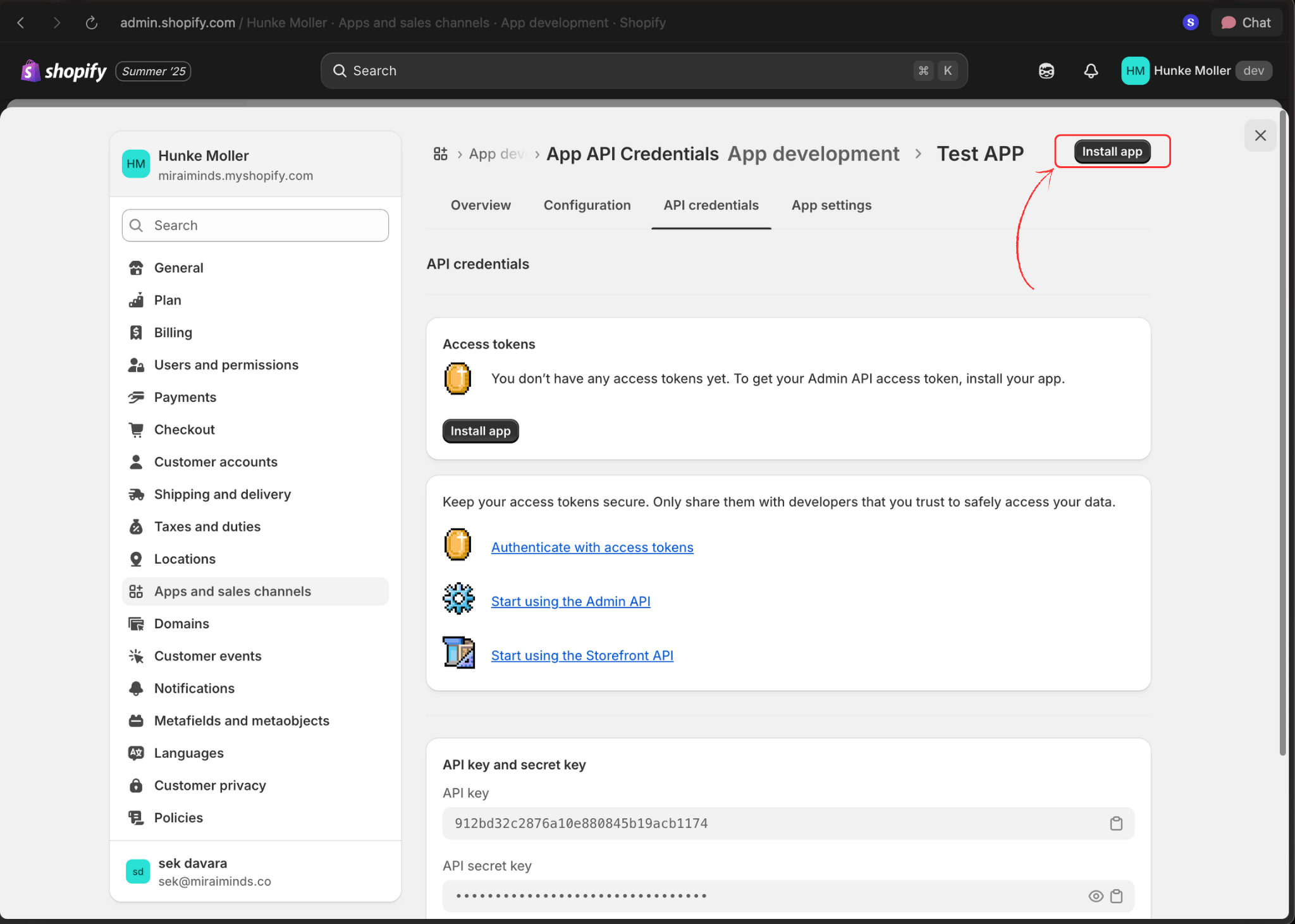
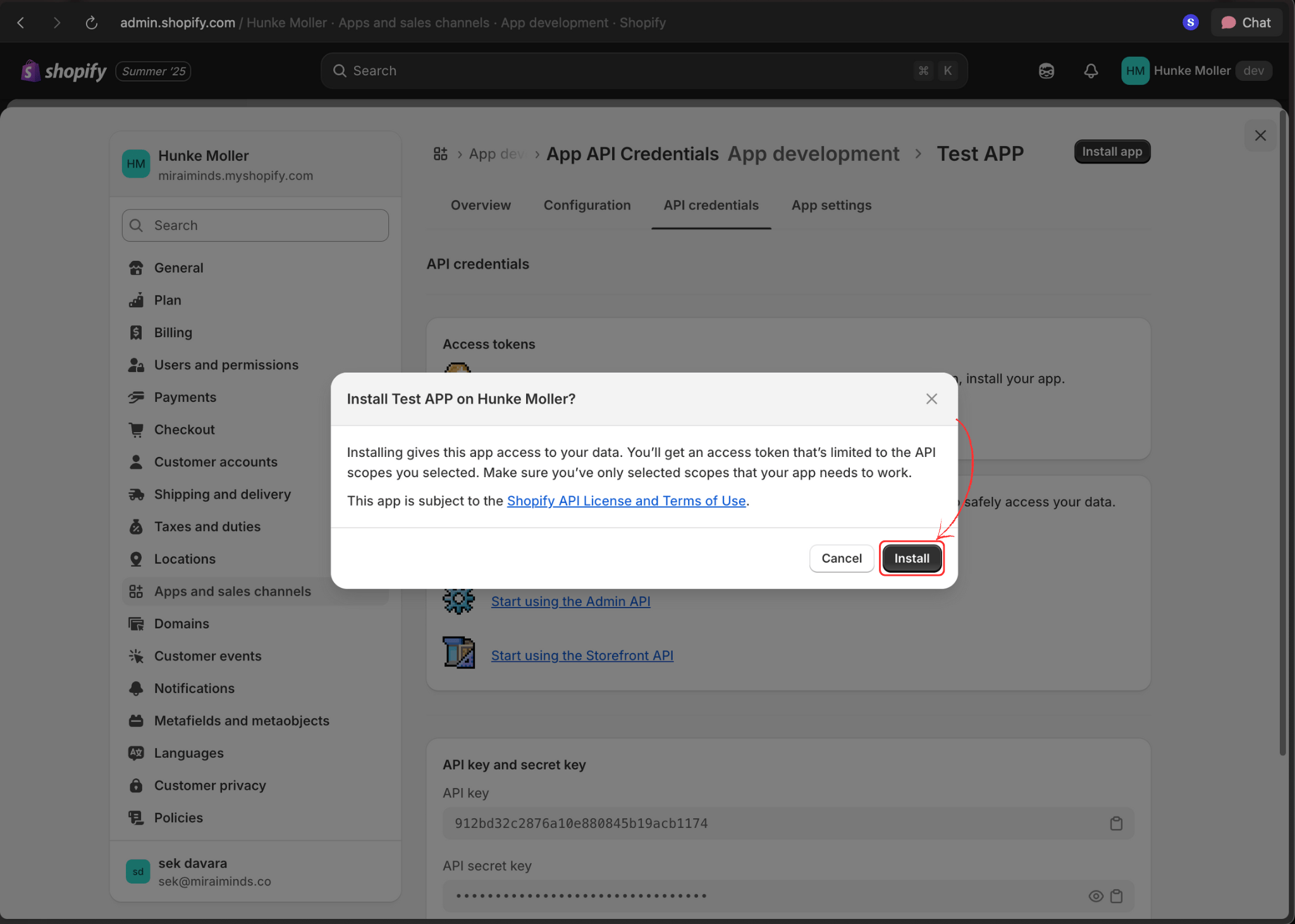
Install the App
Click Install app to activate the app in your store.
-
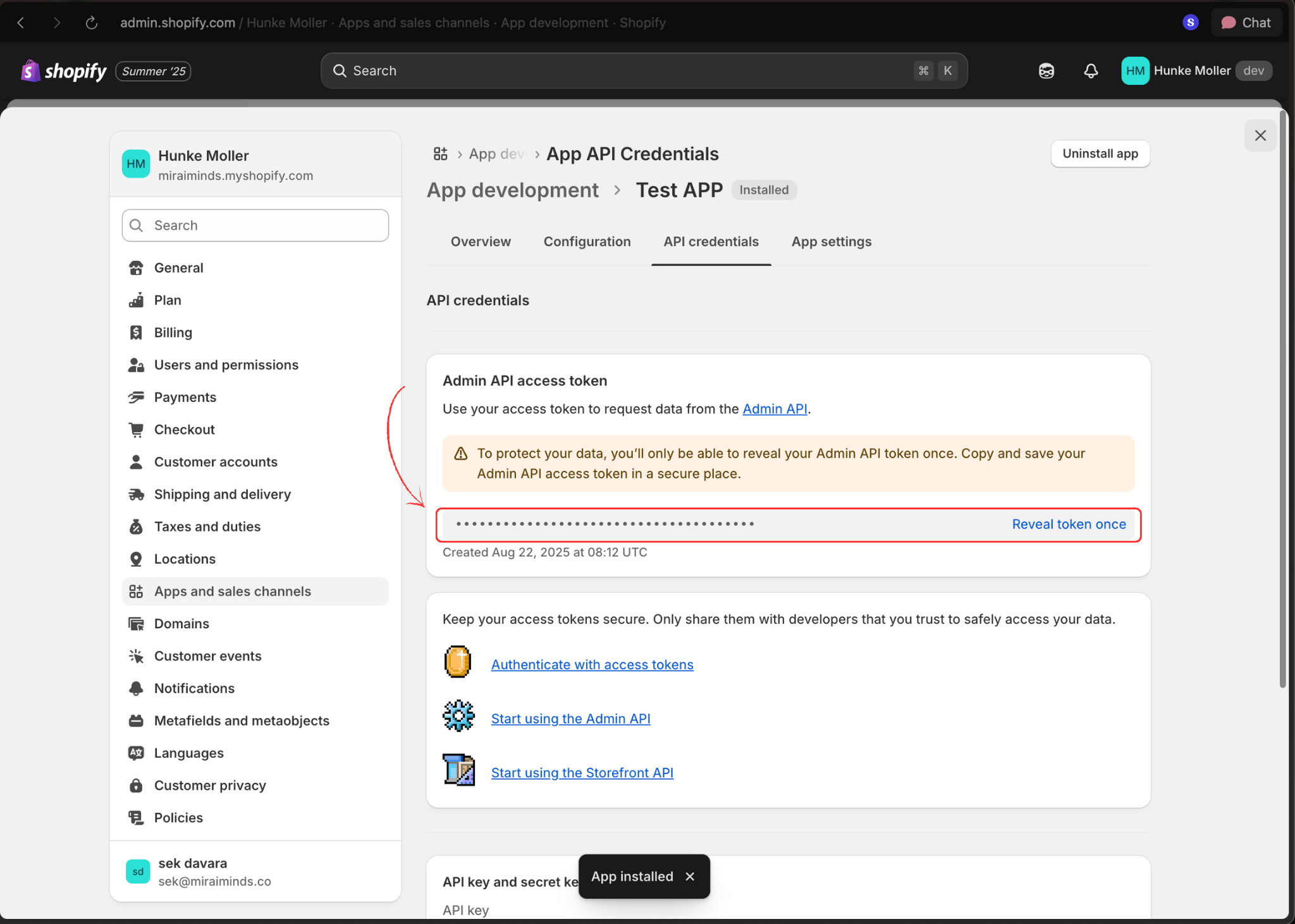
Copy Access Token
After installation, copy the generated access token and keep it secure. You’ll need it to connect to Voice Agents.
Part 2: Connect to Voice Agents Platform
-
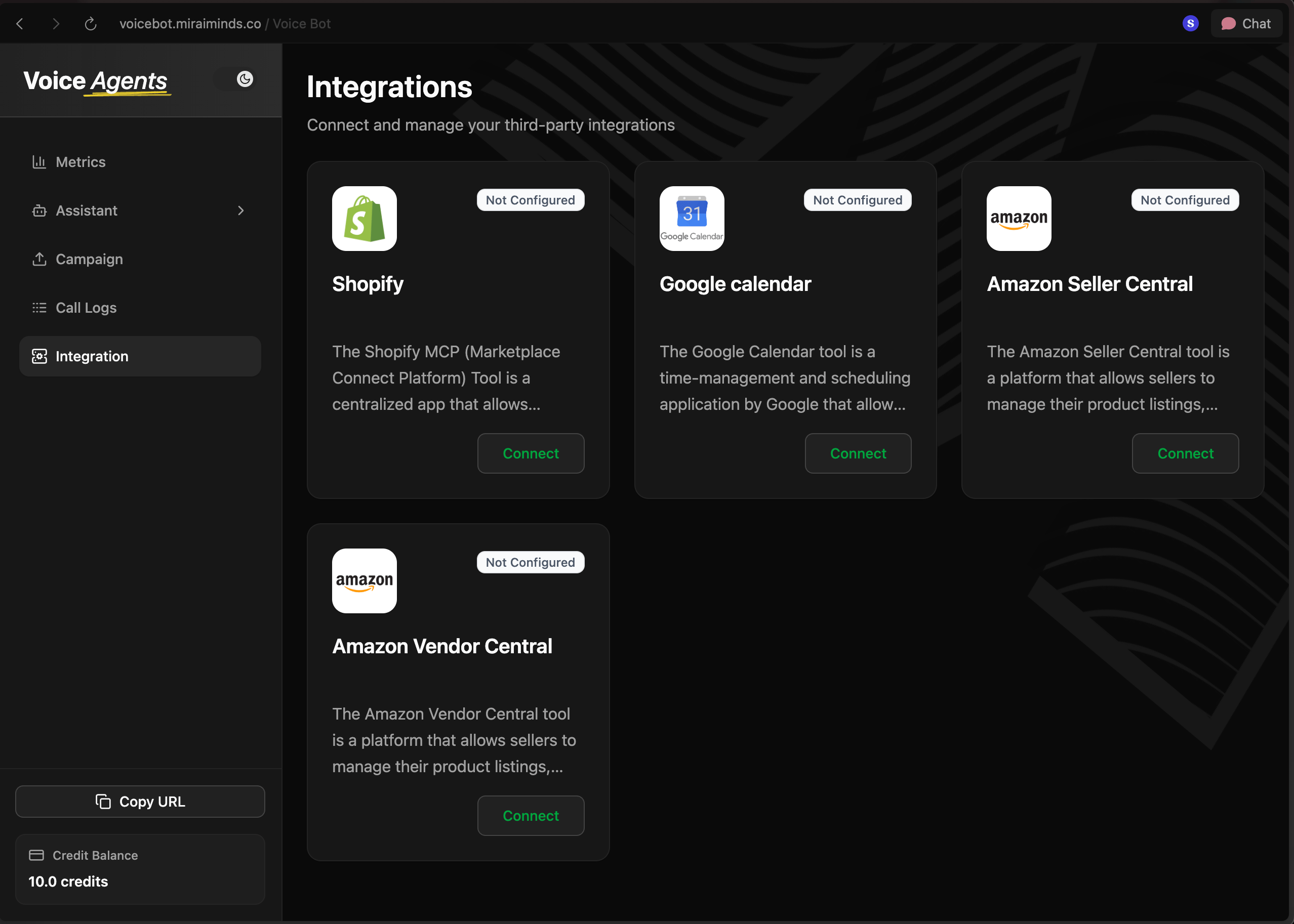
Access Voice Agents Dashboard
Log in to your Voice Agents platform and navigate to the integrations page.
-
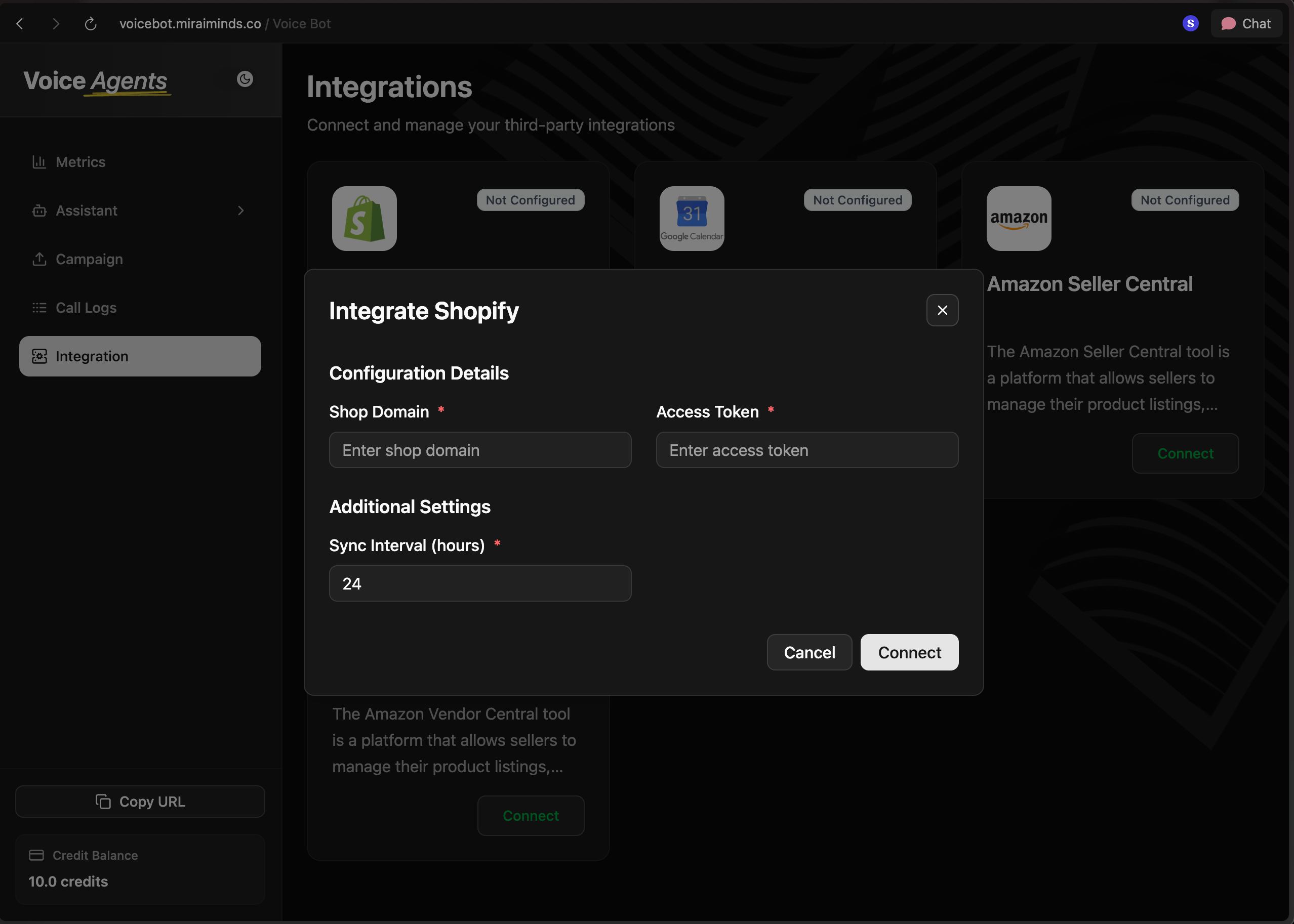
Complete Shopify Connection
Click the Connect button next to Shopify, then:
- Enter your store domain (without
https://orhttp://) - Paste the access token from step 10
- Click Connect to finalize the integration
- Enter your store domain (without
What’s Next?
Once you connect the store, your voice agent can start handling these requests right away:- Order inquiries: “What’s the status of my order #1234?”
- Product questions: “Do you have this item in stock?”
- Customer support: “How do I return an item?”
- Sales assistance: “What’s your best-selling product?”