This documents the v1 product. It is kept for integrations already running
on it. If you are building something new, start with the
Quickstart.
Overview
Voice Agents integrates with Limechat for customer support and automated messaging. Your customers can reach voice agents through Limechat’s platform for instant support, order questions and personalized help.Customer Support
Handle customer inquiries and support requests automatically through
Limechat’s messaging platform.
Order Management
Voice agents can check order status, process requests and handle
order-related questions.
Automated Responses
Provide instant responses to common questions and route complex queries
to human agents when needed.
Multi-channel Support
Reach customers on the messaging channels that Limechat supports.
Setup Guide
To connect Voice Agents to Limechat, you need two values from your Limechat account: your Limechat Account ID and your API Access Token.Step 0: Access Voice Agents Integration Tab
-
Navigate to Voice Agents Dashboard
Log in to your Voice Agents platform and go to the integration tab.
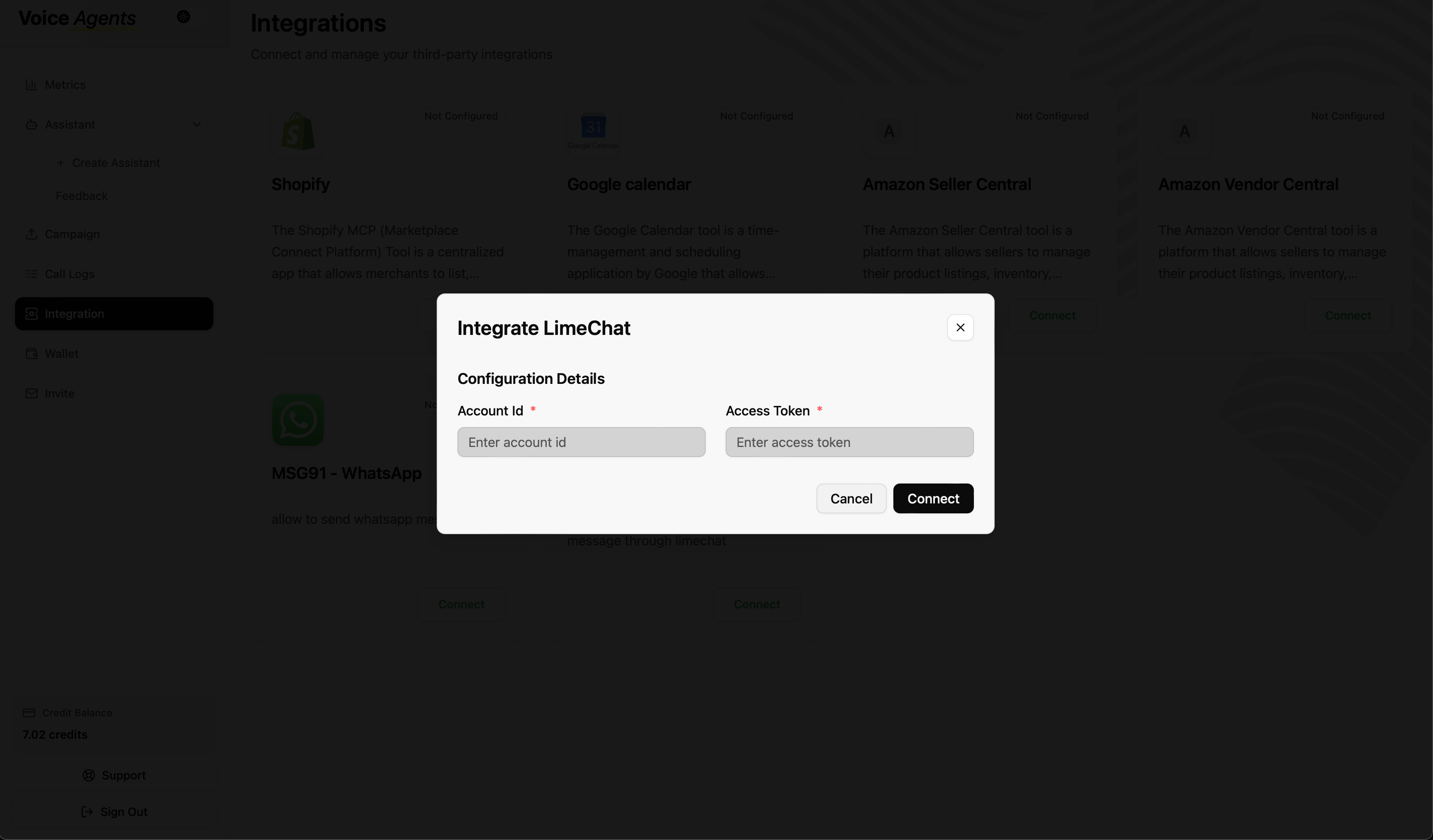
Step 1: Obtain Your Limechat Account ID
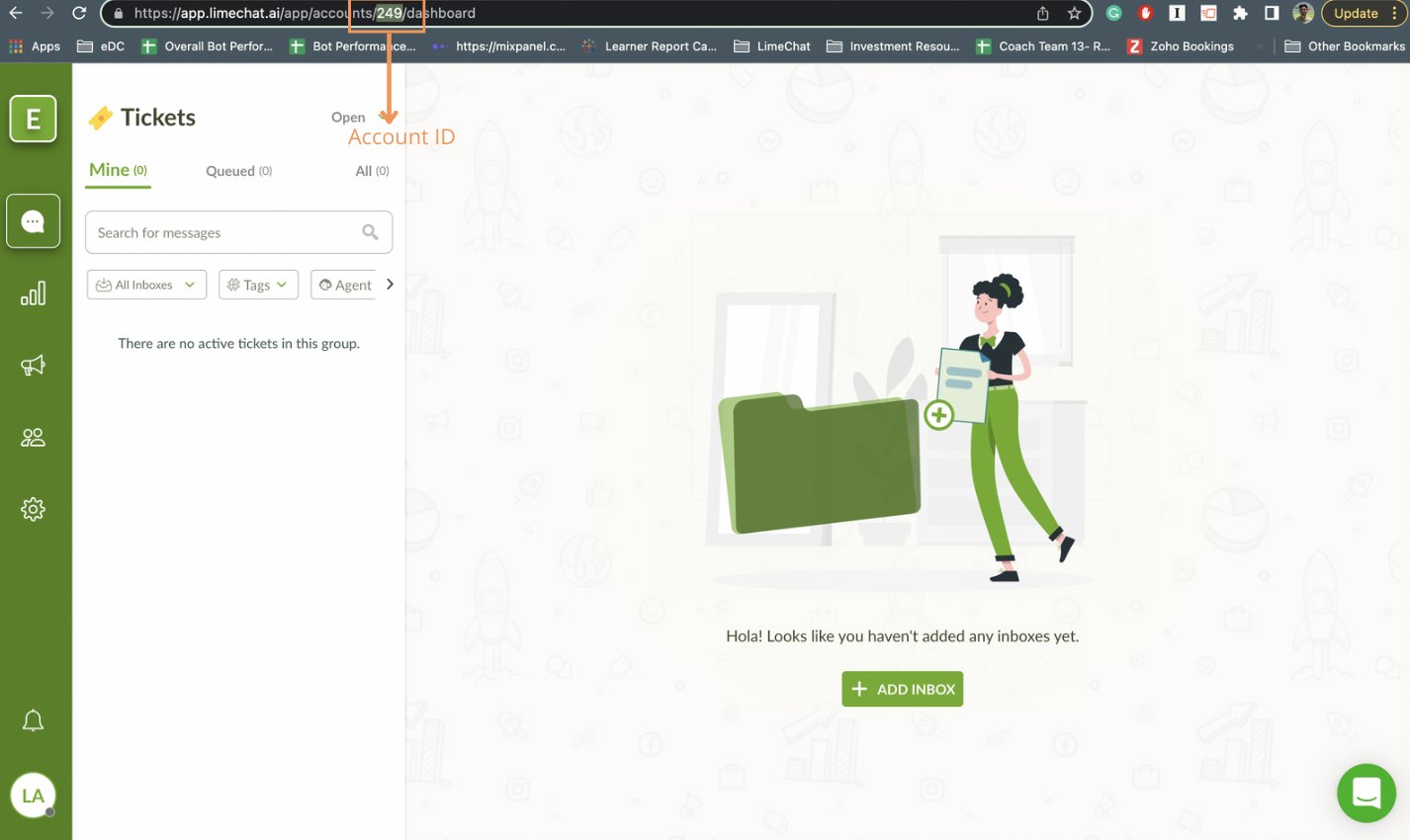
- Log in to your Limechat dashboard Access your Limechat account through the web interface.
-
Locate Account ID
Your Account ID is usually shown on the Limechat Dashboard.
Step 2: Obtain Your Limechat API Access Token
-
Access Profile Settings
In your Limechat dashboard, click your profile picture at the very bottom left.
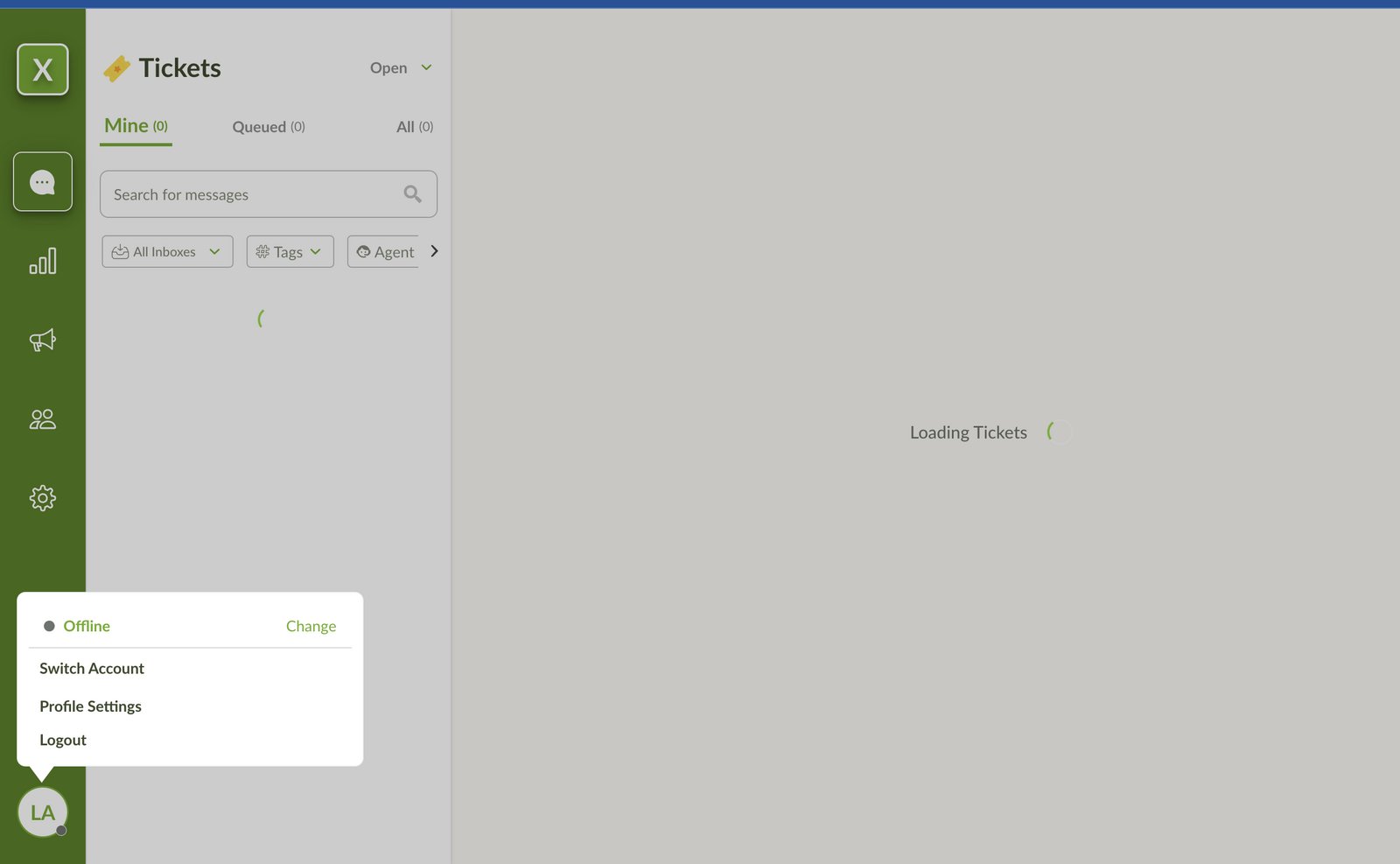
- Navigate to Profile Settings Select Profile Settings from the menu.
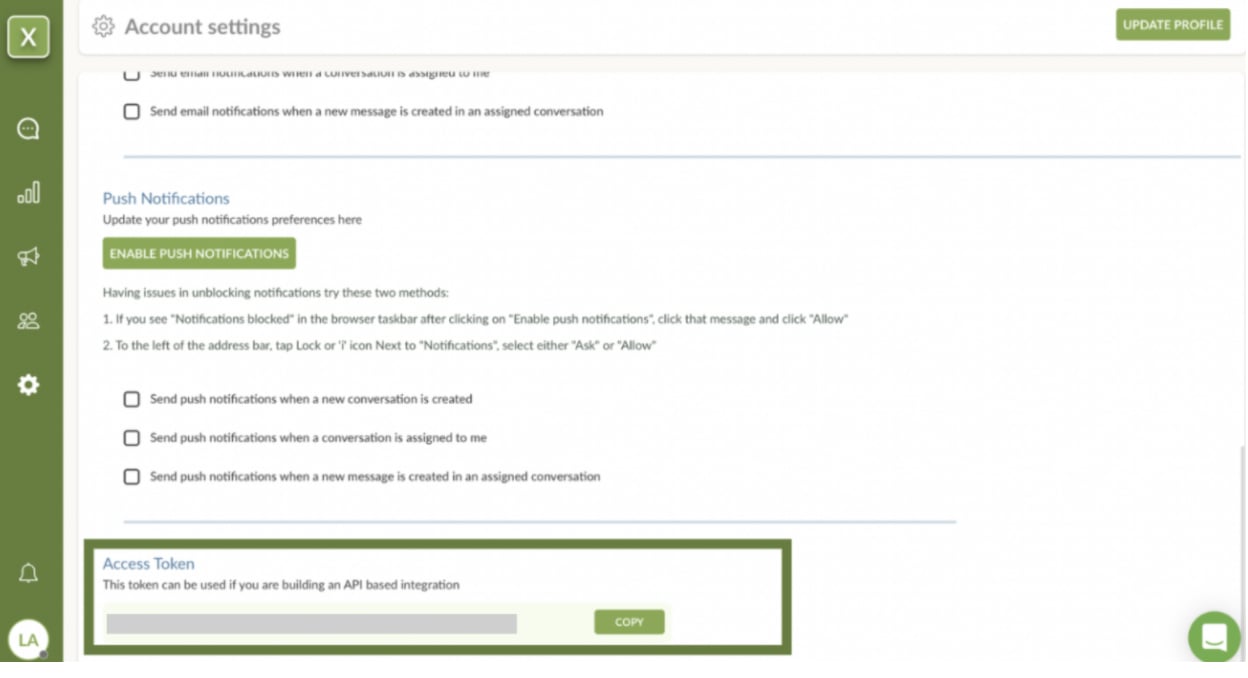
- Find Access Token Scroll down to the bottom of the Profile Settings page.
-
Copy the Access Token
Copy the Access Token and keep it secure. You’ll need it to connect to Voice Agents.
Step 3: Connect to Voice Agents Platform
-
Complete Limechat Connection
Click the Connect button next to Limechat, then:
- Enter your Limechat Account ID from Step 1
- Paste the API Access Token from Step 2
- Click Connect to finalize the integration
What’s Next?
Once you connect Limechat, your voice agent can start handling these requests right away:- Customer inquiries: “I need help with my order”
- Support requests: “How do I track my shipment?”
- General questions: “What are your business hours?”
- Product information: “Tell me more about this product”